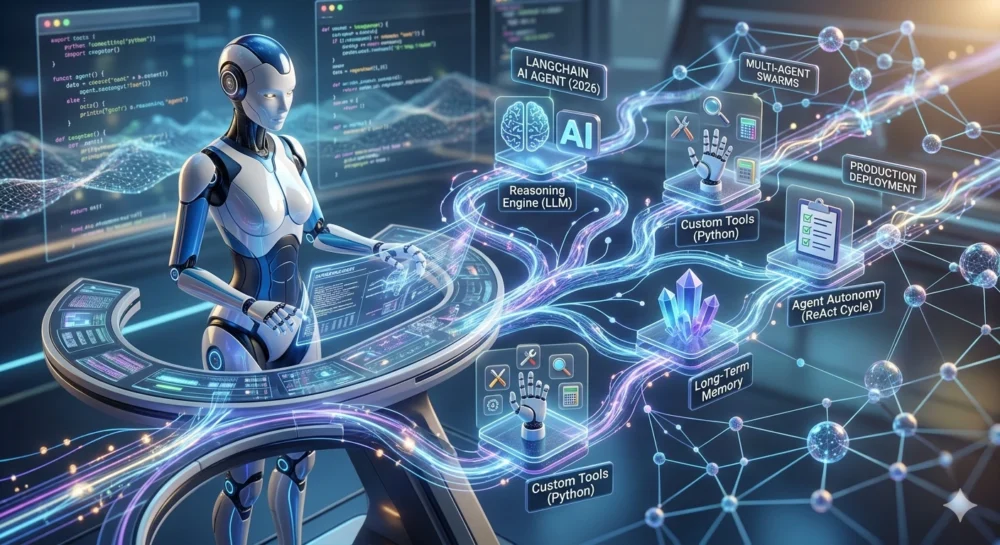
Introduction
The era of chatbots that simply answer questions is officially behind us. Welcome to 2026, the age of autonomous, reasoning AI agents. Today, artificial intelligence doesn’t just talk—it does. From scraping the web for competitor analysis to autonomously debugging legacy codebases, smart AI agents have become the digital workforce of the modern enterprise.
But how exactly do you bridge the gap between a Large Language Model (LLM) that generates text and a proactive agent that executes complex workflows? The answer is LangChain. Since its inception, LangChain has evolved from a simple wrapper for API calls into a robust, enterprise-grade operating system for AI agents, primarily driven by the power of LangGraph.
If you want to stay ahead of the curve, learning how to build smart AI agents with LangChain is no longer optional; it is a fundamental skill for modern developers, data scientists, and tech entrepreneurs.
In this comprehensive, zero-fluff guide, we are going to dive deep into the architecture of modern AI agents. We will explore everything from setting up your cognitive loops and integrating external tools, to deploying multi-agent swarms that communicate with one another. Grab your coffee, open your IDE, and let’s build the future.
Table of Contents
-
What Are Smart AI Agents in 2026?
-
Why LangChain Remains the Industry Standard
-
The Core Components of an AI Agent
-
Prerequisites: Setting Up Your Environment
-
Step-by-Step Guide: Building a Smart Research Agent
-
Advanced Architectures: Multi-Agent Systems
-
Real-World Use Cases for LangChain Agents
-
Debugging and Observability with LangSmith
-
Deploying Your Agent to Production
-
Frequently Asked Questions (FAQs)
-
Summary and Next Steps
What Are Smart AI Agents in 2026?
The Evolution from Chatbots to Agents
To understand where we are in 2026, we must look at how quickly AI has evolved. In 2023, the world was mesmerized by ChatGPT. You typed a prompt, and it generated a response. It was reactive. It was an oracle sitting in a box.
By 2024 and 2025, developers began chaining these prompts together, allowing models to reflect on their own outputs.
Today, a “Smart AI Agent” is an autonomous system empowered with four critical capabilities:
-
Reasoning: The ability to break down a massive, ambiguous goal into a step-by-step actionable plan.
-
Tool Use: The capacity to interact with the outside world using APIs (e.g., searching the web, executing Python code, reading SQL databases, sending emails).
-
Memory: Retaining context over incredibly long periods, recalling past interactions, and learning from previous mistakes.
-
Agency: The autonomy to decide when a task is complete, or when to ask a human for help.
The Cognitive Loop
At the heart of a 2026 AI agent is a cognitive loop, often built on the “ReAct” (Reasoning and Acting) paradigm or state-machine architectures.
(Illustration Idea: Imagine a circular flowchart. At the top is “User Input.” An arrow points right to “Observation,” down to “Reasoning/Planning,” left to “Tool Execution,” and back up to “Observation,” looping until the agent reaches a “Final Output” state.)
The agent receives a goal. It thinks about what it needs to do. It realizes it lacks certain information, so it grabs a search tool. It reads the search results, realizes it needs to process the data, and triggers a Python execution tool. Finally, it formats the result and delivers it to the user.
Why LangChain Remains the Industry Standard
There are many frameworks available for building LLM applications today, including LlamaIndex, AutoGen, and Semantic Kernel. However, LangChain—bolstered by its LangGraph framework for cyclic graph architectures—has solidified its position as the undisputed king of agentic workflows.
Pro Tip: If you are just starting out with graph-based logic, you might want to check out our foundational guide on LangGraph for Beginners: Build Intelligent AI Agents in 2026 to understand nodes and edges before diving into this advanced guide.
The LangChain Ecosystem in 2026
The modern LangChain ecosystem is split into three highly integrated pillars:
-
LangChain (Core): The standard interfaces for interacting with LLMs, creating document loaders, and defining tools.
-
LangGraph: A framework specifically designed for building highly controllable, stateful, multi-actor agents. It allows you to model your agents as cyclic graphs, ensuring infinite loops are caught and complex reasoning pathways are clearly defined.
-
LangSmith & LangServe: LangSmith provides unparalleled observability (allowing you to look inside the “mind” of your agent), while LangServe turns your agent into a production-ready REST API with one line of code.
Framework Comparison Table: 2026 Landscape
| Feature / Framework | LangChain / LangGraph | LlamaIndex | Microsoft AutoGen |
| Primary Focus | Complex, customizable agentic workflows and multi-actor state machines. | Deep data retrieval, RAG (Retrieval-Augmented Generation), and indexing. | Multi-agent conversational frameworks primarily for code execution. |
| Learning Curve | Moderate to Steep (due to Graph concepts) | Moderate | Steep |
| State Management | State-of-the-art via LangGraph (checkpointing, human-in-the-loop). | Basic conversational memory. | Message-based history. |
| Tool Ecosystem | Massive (1000+ integrations). | Strong for data loaders, less for active tools. | Highly customizable, but requires manual setup. |
| Best Use Case | Enterprise AI workers, autonomous researchers, complex logic routing. | “Chat with your data”, enterprise search, knowledge graphs. | Swarms of specialized coders or debate simulations. |
The Core Components of an AI Agent
Before we write a single line of code, you must understand the anatomy of the smart AI agents we are about to build.
1. The Brain (Large Language Model)
The LLM is the reasoning engine. In 2026, models like Gemini 1.5 Pro, GPT-5, and Claude 3.5 Opus serve as brilliant reasoning engines. For agents, you need a model that is specifically fine-tuned for “function calling” or “tool use.” The brain decides what to do.
2. The Hands (Tools)
Tools are the functions that the LLM can invoke. A tool is simply a Python function with a highly descriptive docstring. The LLM reads the docstring to understand what the tool does, what inputs it requires, and when to use it. Examples include GoogleSearchTool, WikipediaQueryRun, or custom APIs like CheckInventoryStatus.
3. The Notebook (State & Memory)
An agent needs to remember what it has done. LangGraph handles this via a “State” object—a dictionary or Pydantic model that gets passed around between nodes in your agent’s graph. Furthermore, Long-Term Memory is achieved by connecting the agent to a Vector Database (like Pinecone, Weaviate, or Chroma), allowing the agent to semantically retrieve past experiences.
4. The Skeleton (Orchestration/Graph)
This is how everything is tied together. Instead of linear scripts, modern agents use directed graphs. Nodes represent actions (like calling the LLM, or executing a tool), and edges represent the conditional logic (if the LLM decides to use a tool, route to the tool node; if the LLM says it is finished, route to the end node).
Prerequisites: Setting Up Your Environment
To follow this complete guide and build a smart AI agent, you will need a modern development environment.
1. System Requirements
-
Python 3.11 or higher: We heavily rely on modern Python typing and async features.
-
Virtual Environment: Use
venv,poetry, orcondato keep your dependencies clean.
2. Installing Dependencies
Open your terminal and install the core LangChain packages. Notice how modular LangChain has become.
Bash
pip install langchain langchain-core langgraph langchain-openai duckduckgo-search
3. API Keys
For this tutorial, we will use OpenAI as our reasoning engine, but LangChain’s beauty is that you can swap this for Anthropic or Google Gemini with a single line change. Set your API keys in your environment variables:
Bash
export OPENAI_API_KEY="sk-your-api-key-here"
Step-by-Step Guide: Building a Smart Research Agent
We are going to build a “Financial Research Agent.” Give it a company ticker, and it will autonomously search the web for recent news, analyze the sentiment, and compile a structured report.
Step 1: Defining the Agent’s State
In LangGraph, everything revolves around state. The state is updated by different nodes as the agent progresses.
Python
from typing import TypedDict, Annotated, Sequence
import operator
from langchain_core.messages import BaseMessage

# Define the state of our agent
class AgentState(TypedDict):
    # 'messages' will keep track of the conversation and agent thoughts
    # Annotated with operator.add means new messages are appended to the list
    messages: Annotated[Sequence[BaseMessage], operator.add]
    company_ticker: str
    final_report: str
Step 2: Equipping the Agent with Tools
Our agent needs to browse the web to get 2026 financial data. We will use the built-in DuckDuckGo search tool, but let’s define a custom tool as well to show you how easy it is.
Python
from langchain.tools import tool
from langchain_community.tools import DuckDuckGoSearchResults

# Built-in search tool
web_search_tool = DuckDuckGoSearchResults()

# Custom tool using the @tool decorator
@tool
def calculate_price_to_earnings(price: float, earnings_per_share: float) -> str:
    """
    Calculates the P/E ratio.
    Use this tool when you have found the current stock price and EPS.
    """
    if earnings_per_share == 0:
        return "Error: EPS cannot be zero."
    pe_ratio = price / earnings_per_share
    return f"The calculated P/E ratio is {pe_ratio:.2f}"

# List of tools the agent can use
tools = [web_search_tool, calculate_price_to_earnings]
Step 3: Initializing the LLM Core
We now bind our tools to the LLM. This tells the LLM “Hey, you are allowed to use these functions.”
Python
from langchain_openai import ChatOpenAI

# Initialize the reasoning engine
llm = ChatOpenAI(model="gpt-4o", temperature=0)

# Bind tools to the model
llm_with_tools = llm.bind_tools(tools)
Step 4: Building the Nodes and Edges
A graph consists of nodes (Python functions) and edges (how they connect). We need a node to run the LLM, a node to execute tools, and logic to route between them.
Python
from langchain_core.messages import ToolMessage
import json

def llm_node(state: AgentState):
    """The node where the LLM reasons and decides what to do."""
    messages = state['messages']
    response = llm_with_tools.invoke(messages)
    return {"messages": [response]}

def tool_node(state: AgentState):
    """The node that executes tools if the LLM requested them."""
    messages = state['messages']
    # Get the last message (the LLM's request)
    last_message = messages[-1]

    tool_responses = []
    # Loop through tool calls requested by the LLM
    for tool_call in last_message.tool_calls:
        # Match the tool name and execute
        if tool_call["name"] == "duckduckgo_results_json":
             result = web_search_tool.invoke(tool_call["args"])
        elif tool_call["name"] == "calculate_price_to_earnings":
             result = calculate_price_to_earnings.invoke(tool_call["args"])
        else:
             result = "Tool not found."

        # Format the response as a ToolMessage
        tool_responses.append(
            ToolMessage(content=str(result), tool_call_id=tool_call["id"])
        )

    return {"messages": tool_responses}

def should_continue(state: AgentState):
    """Conditional edge to decide if we route to tools or end the process."""
    messages = state['messages']
    last_message = messages[-1]
    # If the LLM didn't call any tools, it means it's finished reasoning
    if not last_message.tool_calls:
        return "end"
    return "continue"
Step 5: Compiling the Graph
Now, we stitch it all together using LangGraph.
Python
from langgraph.graph import StateGraph, END

# Initialize graph with our custom state
workflow = StateGraph(AgentState)

# Add nodes
workflow.add_node("agent", llm_node)
workflow.add_node("action", tool_node)

# Set the entry point
workflow.set_entry_point("agent")

# Add conditional edges from the agent node
workflow.add_conditional_edges(
    "agent",
    should_continue,
    {
        "continue": "action",
        "end": END
    }
)

# After actions are executed, always go back to the agent to evaluate the new data
workflow.add_edge("action", "agent")

# Compile the graph into a runnable application
app = workflow.compile()
Step 6: Running the Agent
Let’s see our agent in action!
Python
from langchain_core.messages import HumanMessage

initial_state = {
    "messages": [HumanMessage(content="Find the latest news on Apple (AAPL), get its current price and EPS, and calculate its P/E ratio. Then write a 2-paragraph summary.")],
    "company_ticker": "AAPL"
}

# Stream the agent's thought process
for output in app.stream(initial_state):
    # Print which node just ran
    for key, value in output.items():
        print(f"--- Output from node: {key} ---")
        print(value)
        print("\n")
When you run this script, you will witness magic. The agent will first realize it needs to search for Apple’s financials. It will call the DuckDuckGo tool. Then, it will parse the results, extract the Price and EPS, and realize it needs to call our custom P/E calculation tool. Finally, it will synthesize all this data into the final report.
This is not hardcoded logic; this is an autonomous intelligence dynamically planning its execution path.
Advanced Architectures: Multi-Agent Systems
While a single agent is powerful, the real revolution in 2026 is Multi-Agent Systems (Swarm Intelligence). Instead of one giant prompt trying to do everything, developers are building teams of specialized AI agents that collaborate.
The Supervisor Architecture
Imagine a corporate structure. You have a Manager (Supervisor Agent) who receives a task from the user. The Manager breaks the task down and delegates sub-tasks to specialized worker agents:
-
Researcher Agent: Only focuses on scraping and reading documents.
-
Coder Agent: Only focuses on writing and executing Python scripts.
-
Reviewer Agent: Proofreads the final output and checks for errors.
Using LangGraph, you can create a node that acts as the “Supervisor.” The Supervisor evaluates the state and decides which worker node to route to next. Once a worker finishes, control returns to the Supervisor.
Single Agent vs. Multi-Agent Systems
| Feature | Single Agent (ReAct) | Multi-Agent System (LangGraph Swarm) |
| Complexity | Simple to deploy and understand. | Complex setup, requires strict routing logic. |
| Performance | Great for straightforward, linear tasks. | Exceptional for multifaceted, enterprise-level goals. |
| Prompt Size | Massive prompts (system instructions become bloated). | Modular, focused prompts for each persona. |
| Error Handling | If it gets confused, the whole loop fails. | One agent can fail, and another can step in to correct it. |
Real-World Use Cases for LangChain Agents
How are businesses actually using these systems to generate ROI in 2026? Here are three high-ranking use cases.
1. Automated Customer Support Triage and Resolution
Legacy support bots forced users through frustrating menu trees. Today’s LangChain agents hook directly into Zendesk or Salesforce. When a user emails about a broken product, the agent autonomously checks the user’s purchase history in the SQL database, reads the warranty policy via a vector search (RAG), and executes an API call to issue a refund or ship a replacement—all without human intervention.
2. Financial Data Analysis and Trading Bots
Hedge funds utilize multi-agent swarms for algorithmic trading. One agent monitors real-time Twitter sentiment. Another pulls SEC filings as soon as they drop. A third agent uses a math tool to run quantitative models. A “Decision Agent” aggregates this data and triggers buy/sell orders via a broker API in milliseconds.
3. Software Development and Code Review
Agents are the new junior developers. By integrating an agent with GitHub tools, it can read a new pull request, understand the context of the entire codebase, run a local test suite, identify bugs, and push a commit to fix the code autonomously.
Debugging and Observability with LangSmith
Building agents is inherently non-deterministic. Sometimes they hallucinate; sometimes they get stuck in infinite loops. You cannot build a production AI agent without observability.
Enter LangSmith.
LangSmith is the control room for your AI operations. By simply setting two environment variables, every action your LangChain agent takes is visually traced.
Bash
export LANGCHAIN_TRACING_V2="true"
export LANGCHAIN_API_KEY="ls__your_langsmith_api_key"
Tracing Agent Thoughts
In the LangSmith dashboard, you can click on a specific run and see the exact graph visualization. You can see the prompt that was sent to the LLM, the exact JSON it returned when deciding to use a tool, the latency of the tool execution, and the final generation.
Managing Token Costs
Agents can consume a massive amount of tokens because they loop continuously. LangSmith automatically calculates the cost per run, allowing you to optimize your agents. If an agent is taking 15 steps to complete a task, you can analyze the trace and rewrite your system prompt to guide it to complete the task in 5 steps, drastically cutting API costs.
Deploying Your Agent to Production
Once your smart AI agent works locally, it’s time to release it to the world. You don’t want to write boilerplate server code. LangServe is the solution.
LangServe wraps your LangChain graph in a FastAPI server automatically.
Cloud Deployment (AWS/GCP) via Docker
To deploy your LangServe app, you simply containerize it.
Create a serve.py file:
Python
from fastapi import FastAPI
from langserve import add_routes
from your_agent_file import app # The compiled graph we made earlier

fastapi_app = FastAPI(title="Financial Agent API")

# Expose your agent as an API endpoint
add_routes(fastapi_app, app, path="/financial-agent")

if __name__ == "__main__":
    import uvicorn
    uvicorn.run(fastapi_app, host="0.0.0.0", port=8000)
Create a simple Dockerfile:
Dockerfile
FROM python:3.11-slim
WORKDIR /app
COPY requirements.txt .
RUN pip install -r requirements.txt
COPY . .
CMD ["python", "serve.py"]
You can now push this Docker image to AWS Fargate, Google Cloud Run, or any Kubernetes cluster. Your agent is now highly scalable and accessible via REST API.
Ethical Considerations and Guardrails
As we deploy autonomous agents in 2026, safety is paramount. An agent with access to a credit card API or a database deletion tool poses significant risks.
Preventing Hallucinations and Infinite Loops
LangGraph inherently protects against runaway costs by utilizing the recursion_limit parameter. If an agent loops more than a set number of times (e.g., 25 steps) trying to solve a problem, the graph forcibly terminates to prevent infinite API billing.
Human-in-the-Loop (HITL)
For critical actions (like executing a trade or sending an email to a client), smart agents must employ HITL. LangGraph allows you to pause the graph state right before a sensitive tool is executed. The state is serialized to a database. A human receives a Slack notification, clicks “Approve,” and the agent resumes execution from the exact state it was paused.
Data Privacy in 2026
With the enforcement of stricter global AI regulations, agents must be built with privacy by design. Utilize local LLMs (like Llama 3 via Ollama) for processing sensitive PII data, ensuring no confidential data ever leaves your servers. LangChain makes swapping from a cloud provider to a local model seamless.
Frequently Asked Questions (FAQs)
Q1: Do I need to know Python to use LangChain in 2026?
While LangChain offers a JavaScript/TypeScript version (LangChain.js), Python remains the dominant language for the AI ecosystem. Knowing Python is highly recommended for building robust, back-end AI agents.
Q2: How much does it cost to run a LangChain Agent?
Costs depend entirely on the LLM provider and the complexity of the task. A simple agent task might cost $0.001 using GPT-4o-mini, while a massive multi-agent research task using Claude 3.5 Opus might cost $0.50 per run. Utilizing local open-source models reduces inference costs to zero (excluding hardware electricity).
Q3: What is the difference between an Agent and RAG?
RAG (Retrieval-Augmented Generation) is a technique where an AI fetches documents from a database to answer a question. An Agent is broader; an Agent might use RAG as one of its tools, but it can also execute code, search the web, and make autonomous decisions.
Q4: Can LangChain agents run continuously?
Yes. By deploying your agent inside a loop or a cron job, you can create “background agents” that continuously monitor webhooks, scan emails, or scrape news feeds 24/7 without user prompting.
Q5: Is LangChain too bloated? Should I just use the OpenAI SDK?
In the past, LangChain received criticism for being complex. However, the introduction of LangChain Expression Language (LCEL) and LangGraph has streamlined the framework. Writing a complex multi-actor agent from scratch with raw SDKs is incredibly tedious; LangChain abstracts the complex graph state management gracefully.
Summary and Next Steps
The landscape of artificial intelligence has fundamentally shifted. We have moved from generative text to generative action. Learning how to build smart AI agents with LangChain places you at the bleeding edge of the 2026 technology stack.
By understanding the cognitive architecture of agents, mastering the state-machine power of LangGraph, creating custom tools, and utilizing LangSmith for observability, you are no longer just coding—you are managing digital intelligence.
Your Next Steps:
-
Install the LangChain and LangGraph libraries.
-
Follow the step-by-step code in this guide to build your first Financial Research Agent.
-
Experiment with adding a custom tool specific to your industry or daily workflow.
-
Explore LangGraph’s multi-agent supervisor architecture to build an entire team of digital workers.
The tools are at your fingertips. The only limit to what these smart AI agents can build, automate, and solve is your own imagination. Happy coding!