Introduction
Imagine asking AI to help you with a task, and instead of giving you only one answer, it follows a full process from beginning to end.
It studies the problem.
It breaks the task into steps.
It uses the right instruction at the right time.
It checks the result.
It improves the output.
Then it gives you something useful, organized, and ready for human review.
That is the new direction of AI.
In the beginning, many people used AI in a very simple way. They opened ChatGPT, Gemini, Claude, or another AI tool and typed short commands like:
“Write a blog post.”
“Give me business ideas.”
“Summarize this text.”
“Create social media captions.”
Those prompts are still useful, but they are only the starting point. If you want better results in 2026, you need more than one prompt. You need a system.
This is where AI Workflow Engineering becomes important.
AI workflow engineering is the skill of building a step-by-step AI process that can take an input, follow instructions, use tools, produce output, pass through review, and improve the final result. It helps you turn AI from a simple answering machine into a practical working assistant.
Think of it this way:
Prompt engineering teaches you how to ask AI better questions.
AI workflow engineering teaches you how to build a complete process around those questions.
For example, instead of asking AI to “write an article,” you can build a workflow where AI helps you choose a topic, create an outline, write the introduction, develop each section, improve readability, add FAQs, suggest SEO metadata, prepare image ideas, and create a final publishing checklist.
That is no longer just prompting.
That is a smart AI workflow.
This full class is designed for bloggers, freelancers, students, small business owners, website owners, content creators, digital marketers, and beginners who want to use AI in a more serious and organized way.
By the end of this class, you will understand how AI workflows work, how to design them, how to use them for real tasks, and how to build smart AI systems without confusion.
Before learning workflows, you should understand prompts first. Read our full guide:
AI Prompt Engineering Full Class 2026.
You can also explore more practical lessons in our
AI Tutorials category.
For tool reviews and practical AI platforms, visit our
AI Tools Reviews.
If you want to use AI for income ideas, check our
Make Money Online with AI section as well.
What Is AI Workflow Engineering?
AI workflow engineering is the process of designing, arranging, and improving a series of AI-powered steps that work together to complete a task.
A workflow is not just one command.
A workflow is a process.
For example, a simple AI workflow can look like this:
Input → AI understands the task → AI creates an outline → AI writes content → AI checks quality → Human reviews → Final output
A more advanced workflow can include:
AI model, prompt, data source, automation tool, external app, human approval, memory, error handling, and final delivery.
AI workflow engineering is about asking:
What should happen first?
What should happen next?
Which tool should handle each step?
Where should human review come in?
How do we prevent mistakes?
How do we make the output useful and repeatable?
This skill is important because AI is becoming more useful when it works inside structured systems, not just as a one-time chatbot response.
Modern AI agents and automation platforms are already being used to connect tasks, tools, and business processes. Platforms and frameworks such as n8n, Make, Zapier, LangChain, and LangGraph are commonly discussed in AI automation and workflow learning spaces.
AI Workflow Engineering vs Prompt Engineering
AI prompt engineering and AI workflow engineering are related, but they are not the same.
Prompt engineering focuses on writing better instructions.
Workflow engineering focuses on building a complete process.
Here is the simple difference:
| Area | Prompt Engineering | Workflow Engineering |
|---|---|---|
| Main focus | Better AI instructions | Better AI process |
| Example | “Write a blog post about AI tools” | Research → outline → write → edit → SEO → publish |
| Skill needed | Clear communication | System thinking |
| Output | One AI response | Complete repeatable result |
| Best for | Better answers | Better productivity |
| Human role | Give prompt and review answer | Design, monitor, approve, improve system |
Prompt engineering is still important. In fact, it is the foundation. But after learning prompts, the next smart step is learning workflows.
That is why this topic is a strong next class after AI Prompt Engineering Full Class 2026.
Why AI Workflow Engineering Matters in 2026
AI tools are getting more powerful, but many people still use them in a scattered way.
They open one tool, ask one question, copy the answer, paste it somewhere else, edit it manually, then start again.
That can waste time.
AI workflow engineering helps you organize AI work into a clear system.
It helps you:
save time, reduce repeated tasks, improve content quality, connect tools, create repeatable processes, reduce confusion, add human review, and build smarter digital systems.
In 2026, businesses and creators are increasingly interested in AI agents and workflow automation because these systems can help handle repeated tasks such as customer support, data entry, CRM updates, content workflows, and task coordination.
There is also growing discussion around “loop engineering,” where AI systems repeat steps toward a goal instead of waiting for a human to manually prompt every stage. This shows that AI work is moving from single commands to more structured task cycles.
For beginners, you do not need to start with complex agent systems. You can begin with simple workflows and improve gradually.
Who Should Learn AI Workflow Engineering?
This class is useful for many people.
Bloggers
Bloggers can use AI workflows for topic research, keyword planning, article outlines, draft writing, SEO checks, image prompts, social media captions, and publishing checklists.
Freelancers
Freelancers can use AI workflows for client proposals, project planning, content delivery, invoice reminders, portfolio writing, and customer communication.
Small Business Owners
Small business owners can use workflows for customer replies, WhatsApp messages, product descriptions, appointment reminders, simple CRM updates, and social media posts.
Students
Students can use workflows for study plans, summaries, quiz creation, revision notes, research outlines, and presentation preparation.
Website Owners
Website owners can use workflows for SEO content planning, internal linking, page improvement, FAQ writing, image descriptions, and content updates.
Digital Marketers
Digital marketers can use workflows for ad copy, campaign ideas, email sequences, lead follow-up, analytics summaries, and content repurposing.
Class 1: Understanding the Meaning of a Workflow
A workflow is a series of steps that help you complete a task.
You already use workflows in daily life.
For example, when you cook food, you may follow this workflow:
buy ingredients, wash them, cut them, cook them, taste the food, serve it, clean the kitchen.
When you publish a blog post, your workflow may be:
choose topic, research keyword, write outline, write article, add image, add links, check SEO, publish.
AI workflow engineering means adding AI into these steps so the process becomes faster, smarter, and more organized.
A workflow does not mean AI must do everything.
A good workflow knows where AI should help and where humans should decide.
Class 2: The Basic AI Workflow Structure
Every AI workflow has a structure.
The simple structure is:
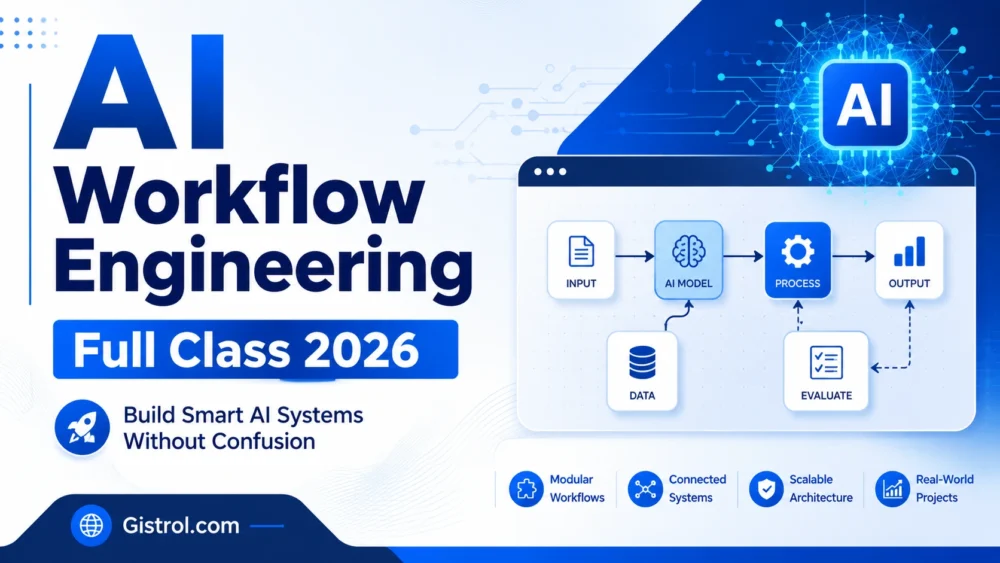
Input → Process → Output → Review → Improvement
Let us break it down.
Input
This is what you give to the workflow.
It can be:
a topic, document, customer message, business idea, keyword, product name, image, form response, or spreadsheet data.
Process
This is what the AI or automation system does.
It may summarize, classify, write, compare, extract, rewrite, check, translate, or generate.
Output
This is the result.
It may be:
an article, email, report, caption, checklist, table, summary, customer reply, or task update.
Review
This is where a human checks the result.
This step is important because AI can make mistakes.
Improvement
This is where you adjust the prompt, tool, data, or process to get better results next time.
This structure works for almost every AI workflow.
Class 3: The Difference Between Manual AI Use and AI Workflow Engineering
Manual AI use is when you open an AI tool and ask one question at a time.
Workflow engineering is when you design a repeatable process.
Manual use:
“Write a blog post.”
Workflow use:
- Generate 10 topic ideas.
- Select one topic.
- Create keyword-focused outline.
- Write introduction.
- Write body sections.
- Add FAQs.
- Improve readability.
- Suggest meta description.
- Create social captions.
- Human reviews and publishes.
Manual use is simple.
Workflow engineering is more powerful because it gives you consistency.
Class 4: The Main Parts of an AI Workflow
A strong AI workflow can include several parts.
1. Goal
What should the workflow achieve?
Example:
“Create a complete SEO blog post ready for review.”
2. Input
What information does the workflow need?
Example:
topic, keyword, audience, tone, article length, website name.
3. AI Task
What should the AI do?
Example:
research, outline, write, summarize, classify, rewrite, check.
4. Tool
Which tool will perform the task?
Example:
ChatGPT, Gemini, Claude, DeepSeek, n8n, Make, Zapier, Google Sheets, WordPress, Gmail.
5. Rules
What should the AI avoid?
Example:
avoid fake statistics, avoid plagiarism, avoid unsupported claims, avoid too much repetition.
6. Human Review
Where should a person check the result?
Example:
before publishing, before sending email, before contacting customer.
7. Final Output
What should the workflow produce?
Example:
blog post, report, email, checklist, social media caption, proposal.
Class 5: Simple AI Workflow Formula
Use this formula:
Goal + Input + Steps + Tools + Review + Output
Example:
Goal: Create a blog post
Input: Topic and keyword
Steps: Outline, draft, edit, SEO, FAQs
Tools: ChatGPT, WordPress, SEO plugin
Review: Human checks facts and style
Output: Final article ready to publish
This formula helps you design workflows clearly.
Class 6: Beginner AI Workflow Example for Bloggers
Let us create a simple AI workflow for bloggers.
Blog Workflow Goal
Create a complete blog post from one topic.
Input
Topic: AI tools for students
Audience: Beginners
Tone: Simple and helpful
Length: 1,500 words
Main keyword: AI tools for students
Workflow Steps
- Ask AI for 10 title ideas.
- Choose the best title.
- Ask AI for a detailed outline.
- Write the introduction.
- Write each section.
- Add practical examples.
- Add FAQs.
- Create meta description.
- Create image alt text.
- Review and publish.
Prompt Example
“Act as an SEO content assistant. Help me create a complete blog post workflow for the topic ‘AI tools for students.’ Start with title ideas, then outline, then introduction, then full article sections, FAQs, meta description, and image alt text. Use simple English and avoid fake statistics.”
This is a simple workflow, but it is already better than asking AI to write everything at once.
Class 7: Beginner AI Workflow Example for Small Business
A small business owner can build a customer reply workflow.
Goal
Reply to customer questions professionally.
Input
Customer message, product/service details, business tone.
Workflow Steps
- Read the customer question.
- Identify the customer’s need.
- Check product or service details.
- Draft a polite reply.
- Add price, location, delivery time, or next step.
- Human reviews the reply.
- Send the final message.
Prompt Example
“Act as a polite customer service assistant. Read this customer message and write a clear WhatsApp reply. Keep it short, respectful, and helpful. Ask one follow-up question if necessary. Do not promise anything that is not confirmed.”
This type of workflow is useful for WhatsApp businesses, online stores, service providers, and freelancers.
Class 8: Beginner AI Workflow Example for Students
Students can use AI workflow engineering to study better.
Goal
Turn a long topic into a study plan.
Input
Topic, exam date, weak areas, available study time.
Workflow Steps
- Summarize the topic.
- Explain difficult terms.
- Create study notes.
- Generate quiz questions.
- Mark weak areas.
- Create revision plan.
- Review answers.
Prompt Example
“Act as a patient teacher. Help me study this topic step by step. First summarize it, then explain the difficult terms, then create 15 quiz questions, then give me a 7-day revision plan.”
This makes AI more useful than just asking for a summary.
Class 9: Beginner AI Workflow Example for Freelancers
Freelancers can use workflows to win clients and deliver better work.
Goal
Create a client proposal.
Input
Client request, service offered, timeline, price, portfolio details.
Workflow Steps
- Understand client request.
- Identify client problem.
- Create solution outline.
- Write proposal.
- Add timeline.
- Add pricing structure.
- Add polite call to action.
- Human reviews before sending.
Prompt Example
“Act as a freelance proposal writer. Help me write a professional proposal for a client who needs a business website. Include understanding of the problem, proposed solution, timeline, price section, and polite closing. Keep the tone confident and respectful.”
This workflow can help freelancers sound more professional.
Class 10: Understanding AI Agents in Workflow Engineering
AI agents are systems that can use AI reasoning, tools, and instructions to complete tasks with more independence than a normal chatbot.
A simple chatbot usually responds to one message.
An AI agent may plan steps, use tools, check information, call another system, and continue working toward a goal.
AI agents are often discussed together with workflows because agents need structured task design. Many AI agent tutorials now teach triggers, actions, data handling, tools, and workflow publishing, especially with platforms like n8n.
However, beginners should not rush into complex agents.
Start with simple workflows first.
Then later, you can add automation and agent behavior.
Class 11: Workflow vs Agent
A workflow follows a designed path.
An agent has more freedom to decide some steps.
Here is a simple comparison:
| Feature | Workflow | Agent |
|---|---|---|
| Control | More controlled | More flexible |
| Best for | Repeatable tasks | Tasks needing decisions |
| Risk level | Lower | Higher |
| Human review | Easier to place | Very important |
| Example | Blog writing process | Research assistant that finds sources and drafts report |
For beginners, start with workflows.
After you understand workflows, you can learn agents.
Class 12: Important Tools for AI Workflow Engineering
You can build AI workflows with simple or advanced tools.
ChatGPT, Gemini, Claude, and DeepSeek
These tools can help you design workflows, write prompts, generate content, summarize text, and plan tasks.
Google Docs and Google Sheets
These tools are useful for organizing workflow inputs and outputs.
WordPress
Website owners can use WordPress as the final publishing point for AI-assisted content workflows.
n8n
n8n is popular for building automation workflows and AI agent flows. Some tutorials teach triggers, actions, conditional logic, AI agent setup, and workflow publishing inside n8n.
Make
Make is a visual automation platform used for creating workflows with connected modules, branching logic, and automation scenarios.
Zapier
Zapier is widely used to connect apps and automate repetitive tasks. It is commonly mentioned alongside Make and AI workflow tools.
LangChain and LangGraph
LangChain and LangGraph are more technical tools used by developers for building agent and workflow systems. Tutorials and papers often discuss LangGraph for workflow and agent orchestration.
You do not need to learn all tools at once.
Start with one simple tool and one workflow.
Class 13: How to Design Your First AI Workflow
To design your first workflow, answer these questions.
Question 1: What problem do I want to solve?
Example:
“I want to create blog posts faster.”
Question 2: What input do I need?
Example:
topic, keyword, audience, tone, article length.
Question 3: What steps are required?
Example:
research, outline, write, edit, SEO, publish.
Question 4: Which steps can AI help with?
Example:
title ideas, outline, draft, FAQ, meta description.
Question 5: Which steps need human review?
Example:
fact checking, personal experience, final editing, publishing.
Question 6: What is the final output?
Example:
a complete article ready for WordPress.
This method keeps your workflow clear.
Class 14: The AI Workflow Map
Before building a workflow, draw a map.
Example:
Topic idea
↓
Keyword selection
↓
Article outline
↓
Draft writing
↓
Readability improvement
↓
SEO metadata
↓
FAQ section
↓
Image prompt
↓
Human review
↓
Publish
This map helps you see the whole process.
A workflow map prevents confusion.
Class 15: How to Write Workflow Prompts
Workflow prompts are different from normal prompts.
A normal prompt asks for one answer.
A workflow prompt asks AI to follow a process.
Normal Prompt
“Write a blog post about AI workflow engineering.”
Workflow Prompt
“Help me create a complete blog post workflow for AI workflow engineering. First give me title options, then create an SEO outline, then write the introduction, then write each section one by one, then create FAQs, then create meta description, then give me a final publishing checklist.”
The workflow prompt is stronger because it gives stages.
Class 16: Best Workflow Prompt Template
Use this template:
“Act as [role]. I want to build a workflow for [goal]. The input will be [input]. The workflow should include [steps]. The final output should be [output]. Add a human review stage before [critical action]. Keep it simple, practical, and beginner-friendly.”
Example
“Act as an AI workflow engineer. I want to build a workflow for creating SEO blog posts. The input will be topic, keyword, audience, and tone. The workflow should include title ideas, outline, draft, readability check, FAQs, meta description, image prompt, and publishing checklist. The final output should be a complete blog post ready for human review. Keep it simple and practical.”
This template can be reused for many workflows.
Class 17: AI Workflow for SEO Blog Writing
Here is a complete workflow for SEO blog writing.
Step 1: Topic Selection
Ask AI for topic ideas.
Prompt:
“Give me 20 SEO-friendly topic ideas about AI workflow engineering for beginners. Make them practical, low competition, and suitable for an AI tutorial website.”
Step 2: Search Intent
Ask AI to identify what readers want.
Prompt:
“For this topic, explain the search intent. What does a beginner want to learn? What questions should the article answer?”
Step 3: Outline
Prompt:
“Create a detailed SEO outline for this article. Use H2 and H3 headings. Make it beginner-friendly and practical.”
Step 4: Draft
Prompt:
“Write the article section by section using simple English and short paragraphs.”
Step 5: Improve Readability
Prompt:
“Improve this section for readability. Make the sentences shorter, remove repetition, and keep the meaning.”
Step 6: Add FAQs
Prompt:
“Create 15 helpful FAQs for this article with simple answers.”
Step 7: Add SEO Metadata
Prompt:
“Create SEO title, slug, meta description, tags, image alt text, caption, and description.”
Step 8: Human Review
Check accuracy, add personal examples, remove weak points, and publish.
This workflow is perfect for Gistrol-style AI tutorials.
Class 18: AI Workflow for Social Media Content
A social media workflow can help you turn one article into many posts.
Input
Blog post title or article summary.
Workflow Steps
- Summarize the article.
- Extract key lessons.
- Create Facebook post.
- Create X/Twitter post.
- Create LinkedIn post.
- Create WhatsApp status.
- Create image text ideas.
- Add call to action.
- Human reviews.
Prompt Example
“Act as a social media content strategist. Turn this blog post into 5 Facebook posts, 5 LinkedIn posts, 5 short X posts, and 5 WhatsApp status updates. Keep them simple, helpful, and attractive. Add a call to action to read the full article.”
This helps you promote your content without starting from zero.
Class 19: AI Workflow for Customer Support
Customer support workflows are useful for small businesses.
Input
Customer message.
Workflow Steps
- Read the message.
- Detect the customer’s need.
- Check if it is complaint, question, order, or follow-up.
- Draft reply.
- Add business policy if needed.
- Ask for missing information.
- Human reviews.
- Send reply.
Prompt Example
“Classify this customer message as complaint, question, order request, or follow-up. Then write a polite reply. If information is missing, ask one clear question. Do not make promises not included in the business policy.”
This workflow can reduce stress and improve professionalism.
Class 20: AI Workflow for Email Marketing
Email workflows help businesses communicate with subscribers.
Input
Product, service, audience, goal.
Workflow Steps
- Identify audience.
- Create email subject lines.
- Write email body.
- Add benefits.
- Add call to action.
- Create follow-up email.
- Human review.
- Schedule or send.
Prompt Example
“Act as an email marketing assistant. Create a 3-email sequence for promoting an AI workflow engineering class. The audience is beginners who want to use AI better. Keep the tone friendly, clear, and practical.”
This can help bloggers and business owners promote content or services.
Class 21: AI Workflow for Research
Research workflows help organize information.
Input
Research topic.
Workflow Steps
- Define the topic.
- List key questions.
- Identify subtopics.
- Summarize findings.
- Compare viewpoints.
- Create outline.
- Mark facts that need verification.
- Human checks sources.
Prompt Example
“Help me create a research workflow for the topic ‘AI workflow engineering.’ List the main questions, subtopics, possible examples, and facts that need verification before publishing.”
Important: AI can make mistakes, so research workflows must include fact-checking.
Class 22: AI Workflow for YouTube Content
Creators can use workflows for video planning.
Input
Video topic.
Workflow Steps
- Generate video title ideas.
- Create video outline.
- Write intro hook.
- Write script.
- Create thumbnail text ideas.
- Create description.
- Create tags.
- Create pinned comment.
- Human reviews and records.
Prompt Example
“Act as a YouTube content strategist. Create a complete video workflow for the topic ‘AI workflow engineering for beginners.’ Include title ideas, intro hook, video outline, script sections, thumbnail text, description, tags, and pinned comment.”
This workflow helps creators move faster.
Class 23: AI Workflow for Online Course Creation
Since this is a full class, course creation is important.
Input
Course topic.
Workflow Steps
- Define student level.
- Create course outcome.
- Create module list.
- Create lessons.
- Add examples.
- Add exercises.
- Add quizzes.
- Add final project.
- Review and publish.
Prompt Example
“Act as an online course creator. Build a beginner-friendly course outline for AI workflow engineering. Include modules, lessons, exercises, quizzes, and a final project.”
This is useful for educators and bloggers.
Class 24: AI Workflow for WordPress Publishing
A WordPress workflow can make publishing easier.
Input
Finished article.
Workflow Steps
- Create SEO title.
- Create slug.
- Create meta description.
- Create category.
- Create tags.
- Create featured image prompt.
- Create image alt text.
- Suggest internal links.
- Create excerpt.
- Human publishes.
Prompt Example
“Act as a WordPress SEO assistant. For this article, create the slug, meta description, tags, category suggestion, featured image idea, alt text, caption, excerpt, and internal linking suggestions.”
This fits Gistrol perfectly.
Class 25: AI Workflow for Business Automation
Business automation workflows can save time.
Example Workflow: Lead Follow-Up
Input: New lead message
Process: classify lead, draft reply, suggest service, create follow-up reminder
Output: professional response and next action
Prompt Example
“Act as a business automation assistant. Create a workflow for handling new customer leads. The workflow should classify the lead, draft a reply, suggest next step, and create a follow-up reminder.”
Automation tools such as Zapier, Make, and n8n can help connect apps and build these types of workflows.
Class 26: Human Review in AI Workflows
Human review is one of the most important parts of AI workflow engineering.
Do not remove humans from important decisions.
Human review is needed for:
facts, legal issues, money matters, medical topics, business promises, final publishing, customer complaints, private data, and sensitive communication.
AI can help, but a human should approve critical outputs.
A safe workflow includes review before action.
Example:
AI drafts customer reply → Human checks → Reply is sent.
This prevents mistakes.
Class 27: Error Handling in AI Workflows
Every workflow should have error handling.
Ask:
What if the AI gives a wrong answer?
What if the input is missing?
What if the customer message is unclear?
What if the tool fails?
What if the output is too long?
What if the answer needs human approval?
Example error handling rule:
“If the customer question is unclear, do not guess. Ask one polite follow-up question.”
Another example:
“If the article contains statistics, mark them for human verification.”
Error handling makes workflows safer.
Class 28: Quality Control in AI Workflows
Quality control means checking whether the workflow result is good enough.
Use this checklist:
Is the output clear?
Is it accurate?
Is it useful?
Is it original?
Is it easy to read?
Does it match the audience?
Does it follow instructions?
Does it need human fact-checking?
Is the final format correct?
For blog posts, quality control should check:
SEO title, meta description, headings, readability, internal links, image alt text, FAQs, and conclusion.
Class 29: How to Improve an AI Workflow
Your first workflow may not be perfect.
Improve it step by step.
Step 1: Test it
Run the workflow with a real example.
Step 2: Check the output
Look for errors, missing parts, and weak results.
Step 3: Improve the prompt
Add clearer instructions.
Step 4: Add review stage
Make sure humans check important outputs.
Step 5: Save the workflow
Turn it into a template.
Step 6: Repeat
Improve as you use it.
Good workflow engineering is not one-time work. It improves over time.
Class 30: Common AI Workflow Engineering Mistakes
Mistake 1: Building a Workflow Without a Clear Goal
Do not start with tools. Start with the problem.
Bad goal:
“I want to use AI.”
Better goal:
“I want to create blog outlines faster.”
Mistake 2: Making the Workflow Too Complicated
Start simple.
A simple workflow that works is better than a complex workflow that fails.
Mistake 3: Removing Human Review
AI can make mistakes. Keep human review in important places.
Mistake 4: Using Poor Inputs
Bad input gives bad output.
Give AI clear information.
Mistake 5: Not Testing the Workflow
Always test before depending on a workflow.
Mistake 6: Trusting Automation Too Quickly
Automation should be monitored.
Start small, check results, then expand.
Mistake 7: No Error Handling
Your workflow should know what to do when information is missing or unclear.
Class 31: Best AI Workflow Templates
Below are practical templates you can use.
Blog Post Workflow Template
Topic → Keyword → Outline → Draft → Edit → FAQs → SEO metadata → Image details → Human review → Publish
Customer Reply Workflow Template
Customer message → Classify request → Draft reply → Add business details → Human review → Send
Social Media Workflow Template
Article → Key points → Platform posts → Captions → Hashtags → CTA → Human review → Publish
Research Workflow Template
Topic → Questions → Subtopics → Summary → Source check → Outline → Draft → Human review
Course Creation Workflow Template
Topic → Audience → Learning outcomes → Modules → Lessons → Exercises → FAQs → Final project
Lead Follow-Up Workflow Template
Lead message → Classify lead → Draft reply → Suggest offer → Set follow-up → Human review
Class 32: Practical AI Workflow Projects
To master AI workflow engineering, practice with real projects.
Project 1: Blog Writing Workflow
Build a workflow that turns one topic into a complete article.
Project 2: Customer Reply Workflow
Build a workflow that replies to customer questions.
Project 3: Social Media Workflow
Build a workflow that turns one blog post into 10 social media posts.
Project 4: Study Workflow
Build a workflow that turns a topic into notes, quiz questions, and a revision plan.
Project 5: Business Proposal Workflow
Build a workflow that creates a client proposal.
Project 6: WordPress Publishing Workflow
Build a workflow that prepares SEO metadata, tags, image details, and internal links.
Class 33: Full Example — Blog Content Workflow for Gistrol
Let us build a full example for Gistrol.
Goal
Create an AI tutorial article from topic to publishing checklist.
Input
Topic: AI Workflow Engineering Full Class 2026
Audience: Beginners and professionals
Tone: Simple, practical, educational
Website: Gistrol.com
Category: AI Engineering
Output: Full blog post ready for review
Workflow
- Generate title ideas.
- Choose SEO title.
- Create slug.
- Create meta description.
- Create outline.
- Write introduction.
- Write class lessons.
- Add examples.
- Add workflow templates.
- Add FAQs.
- Add YouTube learning resources.
- Create featured image prompt.
- Create internal links.
- Human review.
- Publish.
Master Prompt
“Act as an AI workflow engineering teacher and SEO content writer. I run Gistrol.com, a website that teaches AI tutorials, AI tools, prompt engineering, AI automation, and ways to use AI practically. Build a complete article workflow for the topic ‘AI Workflow Engineering Full Class 2026.’ The audience is beginners and professionals. Use simple English, class-style lessons, examples, templates, FAQs, and a publishing checklist. Avoid fake statistics. Add human review before publishing.”
This is a strong Gistrol-style workflow.
Best YouTube Video Tutorials to Learn AI Workflows
You can add these video resources inside your article for readers who want visual learning.
1. n8n Quick Start Tutorial: Build Your First AI Agent
This tutorial is useful for beginners who want to see how AI agents and workflows can be built using n8n. The video description mentions triggers, actions, conditional logic, data items, LLM tasks, AI agents with tools, chat interfaces, and workflow publishing.
2. Building Effective Agents with LangGraph
This is useful for readers who want to understand the difference between workflows and agents, and how common agent/workflow patterns can be implemented with LangGraph.
3. Agentic Workflows: Build & Sell AI Automations
This is a long practical course focused on building agentic workflows for real business environments, including business automation examples and multi-agent ideas.
4. Context Engineering vs Prompt Engineering
This video is useful because it explains how better AI systems can combine context, RAG, memory, and agent collaboration instead of depending only on basic prompting.
5. LangGraph Tutorial — How to Build Advanced AI Agent Systems
This is more technical, but it is useful for learners who want to move from simple workflows into advanced agent systems.
6. How to Build a Production-Ready RAG AI Agent
This video is useful for advanced learners who want to understand how retrieval, embeddings, vector databases, backend systems, and deployment can support a more reliable AI workflow.
7. AI Agents Full Course 2026
This is a broad beginner-friendly full course covering AI agents, agentic workflow, building agents, RAG, and related AI topics.
Recommended Video Tutorials
If you prefer visual learning, you can also watch tutorials on n8n AI agents,
LangGraph workflows, agentic automation, and RAG-powered AI systems. These videos
can help you see how AI workflow engineering works in real tools.
- n8n Quick Start Tutorial: Build Your First AI Agent
- Building Effective Agents with LangGraph
- Agentic Workflows: Build & Sell AI Automations
- Context Engineering vs Prompt Engineering
- LangGraph Tutorial: How to Build Advanced AI Agent Systems
- How to Build a Production-Ready RAG AI Agent
- AI Agents Full Course 2026
AI Workflow Engineering Cheat Sheet
| Workflow Part | Meaning | Example |
|---|---|---|
| Goal | What you want to achieve | Create blog post |
| Input | Information needed | Topic, keyword, audience |
| Steps | Process to follow | Outline, draft, edit |
| Tool | System used | ChatGPT, n8n, Make |
| Rules | What to avoid | Fake statistics |
| Review | Human approval | Check before publishing |
| Output | Final result | Article ready to publish |
Best Prompt for Building Any AI Workflow
Use this prompt:
“Act as an AI workflow engineer. Help me build a workflow for [goal]. The input will be [input]. The workflow should include [steps]. The tools I may use are [tools]. Add human review before [important action]. Add error handling for missing or unclear information. The final output should be [output]. Keep it simple, practical, and beginner-friendly.”
Example:
“Act as an AI workflow engineer. Help me build a workflow for creating SEO blog posts. The input will be topic, keyword, audience, and tone. The workflow should include title ideas, outline, draft, readability improvement, FAQs, meta description, image alt text, and publishing checklist. Add human review before publishing. Add error handling for unsupported claims. The final output should be a complete article ready for WordPress.”
Final Project: Build Your First AI Workflow
Now it is time to practice.
Choose one workflow:
blog writing, customer support, social media content, research, email marketing, student study plan, business proposal, or WordPress publishing.
Use this worksheet.
Step 1: Write Your Goal
Example:
“I want to create blog posts faster.”
Step 2: List Your Inputs
Example:
topic, keyword, audience, tone, length.
Step 3: List Your Steps
Example:
title, outline, draft, FAQs, meta description.
Step 4: Choose Your Tools
Example:
ChatGPT, Google Docs, WordPress.
Step 5: Add Human Review
Example:
“I will review before publishing.”
Step 6: Add Error Handling
Example:
“If the AI gives statistics, mark them for verification.”
Step 7: Define the Final Output
Example:
“An article ready to publish on Gistrol.”
This is your first AI workflow.
Conclusion
AI workflow engineering is one of the most useful AI skills to learn after prompt engineering.
Prompt engineering helps you ask better questions.
AI workflow engineering helps you build better systems.
In 2026, the people who will get the most value from AI are not only those who know how to write prompts. They are the people who know how to connect prompts, tools, review stages, data, automation, and outputs into practical workflows.
You do not need to start with complex AI agents.
Start with simple workflows.
Build one workflow for blogging, one for customer replies, one for social media, one for research, and one for business communication.
Then improve them gradually.
The secret is simple:
Start with a clear goal.
Give AI good input.
Break the task into steps.
Use the right tool.
Add human review.
Improve the workflow over time.
That is how you build smart AI systems without confusion.
FAQs About AI Workflow Engineering
1. What is AI workflow engineering?
AI workflow engineering is the process of designing step-by-step AI-powered systems that help complete tasks more efficiently.
2. Is AI workflow engineering the same as prompt engineering?
No. Prompt engineering focuses on writing better instructions. Workflow engineering focuses on building a complete process using prompts, tools, steps, review, and outputs.
3. Do I need coding to learn AI workflow engineering?
No. Beginners can start without coding by using AI chat tools, Google Docs, WordPress, n8n, Make, or Zapier. Coding becomes useful for advanced workflows.
4. What is the easiest AI workflow to start with?
The easiest workflow is a blog writing workflow: topic, outline, draft, edit, FAQs, meta description, and human review.
5. Can bloggers use AI workflow engineering?
Yes. Bloggers can use it for topic research, article writing, SEO metadata, internal linking, FAQs, image prompts, and social media promotion.
6. Can small businesses use AI workflows?
Yes. Small businesses can use AI workflows for customer replies, product descriptions, social media posts, email responses, and lead follow-up.
7. What is an AI agent?
An AI agent is an AI-powered system that can follow goals, use tools, make decisions, and complete tasks with more independence than a normal chatbot.
8. What is the difference between a workflow and an AI agent?
A workflow follows a structured process. An AI agent can make more decisions inside the process. Beginners should learn workflows first.
9. What tools can I use for AI workflow engineering?
You can use ChatGPT, Gemini, Claude, DeepSeek, Google Docs, Google Sheets, WordPress, n8n, Make, Zapier, LangChain, and LangGraph.
10. Is n8n good for AI workflow engineering?
Yes. n8n is useful for building automated workflows and AI agent flows, especially for people who want more control over automation.
11. Is Make good for AI workflows?
Yes. Make is useful for visual automation and connecting different apps in a workflow.
12. Is Zapier useful for AI workflows?
Yes. Zapier is useful for connecting apps and automating repeated tasks.
13. What is the most important part of an AI workflow?
The most important part is the goal. Without a clear goal, the workflow becomes confusing.
14. Why is human review important?
Human review helps prevent mistakes, wrong facts, poor tone, and unsafe actions.
15. Can AI workflows make mistakes?
Yes. AI workflows can make mistakes if the input is poor, the prompt is unclear, or the system lacks review and error handling.
16. What is error handling in AI workflow engineering?
Error handling means planning what the workflow should do when information is missing, unclear, incorrect, or risky.
17. Can I use AI workflow engineering for WordPress?
Yes. You can use it for article planning, SEO metadata, image alt text, tags, categories, internal links, and publishing checklists.
18. Can AI workflow engineering help me make money online?
Yes. It can help you work faster as a blogger, freelancer, content creator, marketer, customer support assistant, or automation service provider.
19. Should I automate everything with AI?
No. Start small. Automate simple repetitive tasks first and keep human review for important actions.
20. How do I become good at AI workflow engineering?
Practice by building small workflows, testing them, improving prompts, adding review stages, and saving your best workflow templates.
21. What is the best beginner workflow project?
A blog post workflow is one of the best beginner projects because it teaches planning, writing, editing, SEO, and review.
22. Can students use AI workflow engineering?
Yes. Students can build workflows for summaries, study notes, quiz questions, revision plans, and research outlines.
23. Can freelancers use AI workflow engineering?
Yes. Freelancers can build workflows for proposals, client messages, project delivery, content creation, and follow-up.
24. Is AI workflow engineering a future skill?
Yes. As AI becomes more connected to apps, tools, and business processes, workflow engineering will become more important for productivity.
25. What should I learn after AI workflow engineering?
After AI workflow engineering, you can learn AI agents, RAG systems, automation tools, LangChain, LangGraph, and AI product building.