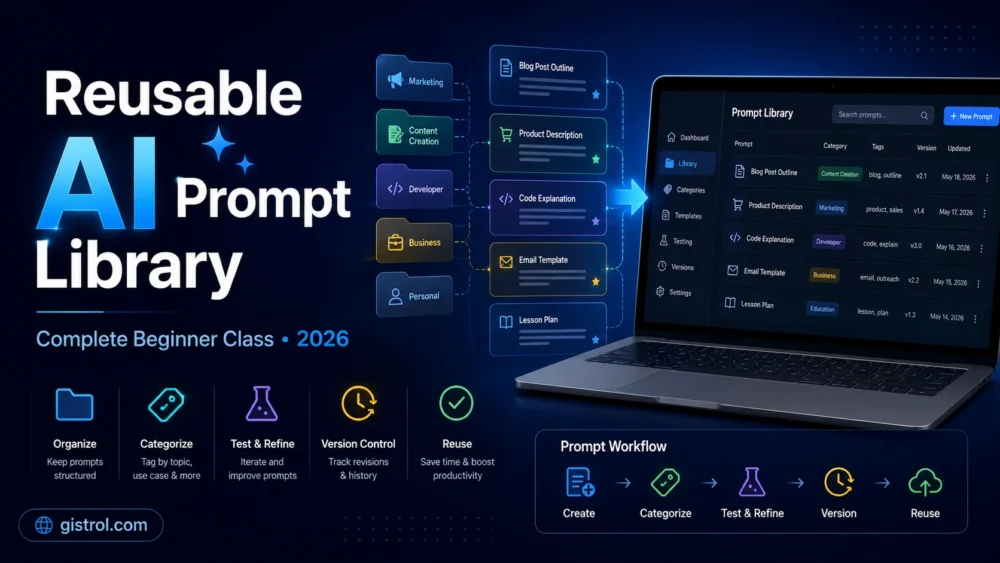
Introduction
Writing a useful AI prompt once can take several minutes. Losing that prompt and trying to recreate it later can waste even more time.
Many people use ChatGPT, Claude, Gemini and other artificial intelligence tools every day, yet they continue to write the same instructions repeatedly. They may create a strong prompt for writing an article, planning a business project or summarising a document, but fail to save the final version in an organised system.
As a result, their AI workflow remains inconsistent.
A reusable AI prompt library solves this problem.
Instead of treating every conversation with an AI assistant as a completely new task, you can create a collection of tested prompt templates for activities you perform regularly. These templates can then be adjusted with new information whenever you need them.
However, a prompt library should not be a folder filled with random instructions copied from the internet. It should contain prompts that have been tested, labelled, reviewed and connected to specific tasks.
In this complete class, you will learn:
- What an AI prompt library is
- Why reusable prompts are valuable
- How to identify tasks that need reusable prompts
- How to write adaptable prompt templates
- How to organise prompts by category
- How to test prompts across different AI tools
- How to record prompt versions and improvements
- How to connect several prompts into a workflow
- How to protect private information
- How to build your first prompt library from beginning to end
This lesson is suitable for beginners, bloggers, students, business owners, freelancers, marketers and professionals who want a more organised method of working with AI.
Class 1: Understanding an AI Prompt Library
An AI prompt library is an organised collection of instructions created for repeated use with artificial intelligence tools.
Each prompt in the library should have a clear purpose.
For example, a blogger might create separate reusable prompts for:
- Finding article ideas
- Developing article outlines
- Improving introductions
- Checking readability
- Creating meta descriptions
- Generating social-media summaries
- Reviewing articles before publication
A customer-support team may create prompts for:
- Classifying customer complaints
- Drafting polite replies
- Summarising support conversations
- Identifying urgent cases
- Creating follow-up messages
The library becomes a practical working resource rather than a collection of attractive but untested prompt examples.
A good prompt library tells you:
- What the prompt is designed to do
- What information must be added
- Which AI tool it was tested with
- What type of response it should produce
- What limitations have been observed
- When it was last reviewed
The goal is not to remove human involvement. The purpose is to reduce repetitive work while maintaining consistency.
Class 2: A Prompt Library Is Not Just a Prompt List
A prompt list and a prompt library are not exactly the same.
A prompt list may contain hundreds of general commands such as:
- Write a blog post.
- Create a business plan.
- Give me social-media ideas.
- Summarise this document.
- Improve this email.
These instructions may be useful as starting points, but they are usually too broad to produce consistent results.
A proper prompt library is more structured.
For example:
Prompt name: Beginner Article Outline Builder
Purpose: Create a detailed educational outline for readers with no previous experience.
Required information: Topic, audience, article objective and target length.
Tested with: ChatGPT, Claude or Gemini.
Expected output: One H1 title, organised H2 sections, relevant H3 subsections, practical examples and frequently asked questions.
Human review needed: Check factual accuracy, duplicated sections, search intent and suitability for the intended audience.
This structure makes the prompt easier to understand, reuse and improve.
Researchers have also described prompts as reusable patterns that can be documented and adapted to solve recurring problems. A prompt becomes more useful when people understand its purpose, context and method of application rather than copying it without modification.
Class 3: Why Reusable Prompts Improve an AI Workflow
A reusable prompt becomes even more valuable when it is connected to a
complete process. You can learn how to combine prompts, tools, review stages
and outputs in our
AI Workflow Engineering Full Class
Reusable prompts can improve the way you work, but they should not be presented as a magical form of automation.
They offer several practical advantages.
They reduce repeated writing
You no longer need to type the same background information and instructions from the beginning each time you perform a familiar task.
They improve consistency
A tested template can help you request a similar structure, tone and quality standard across multiple projects.
This does not mean every result will be identical. AI models can still produce different responses, even when the same prompt is used.
They make improvement easier
When a prompt is saved, you can identify what worked, what failed and what should be changed.
Without a saved version, prompt improvement often depends on memory.
They support teamwork
A shared library can help team members follow a common process.
For example, an editorial team can use one agreed prompt template for reviewing:
- Article clarity
- Unsupported claims
- Heading structure
- Repetition
- Grammar
- Reader usefulness
They create a foundation for workflows
A reusable prompt can become one stage of a larger process.
One prompt may research a topic, another may create an outline, and a third may review the final draft. This is known as prompt chaining: dividing a complex task into smaller connected instructions instead of expecting one oversized prompt to handle everything.
Class 4: Tasks That Should Become Reusable Prompts
Not every instruction needs to be saved.
A one-time question such as “What is the capital of Senegal?” does not require a reusable template.
A task is suitable for your library when:
- You perform it repeatedly.
- It follows a recognisable process.
- It requires similar information each time.
- The quality can be evaluated.
- A standard output format is useful.
- The prompt takes time to recreate.
Consider your normal weekly activities.
Ask yourself:
- Which tasks do I repeat?
- Which tasks require similar instructions?
- Which AI responses frequently disappoint me?
- Which tasks need a consistent format?
- Which prompts have already produced useful results?
Your answers will reveal what to add first.
Example for a blogger
A blogger may repeatedly:
- Find keywords
- Study search intent
- Plan article sections
- Rewrite difficult paragraphs
- Generate descriptions
- Review headings
- Prepare social posts
Each recurring task can have a separate prompt.
Example for a small business
A business owner may repeatedly:
- Reply to customer questions
- Prepare quotations
- Summarise meetings
- Draft announcements
- Compare products
- Create weekly reports
These activities can also be converted into reusable templates.
Class 5: The Gistrol Reusable Prompt Framework
To create a dependable template, use the following framework:
Purpose + Context + Input + Process + Boundaries + Output + Review
Let us examine each part.
Purpose
State exactly what the prompt should accomplish.
Weak example:
Help me with this article.
Improved example:
Review this article and identify sections that may confuse a beginner.
Context
Give the AI enough background to understand the situation.
Example:
The article is for adults who are learning prompt engineering for the first time. They understand how to use a chatbot but have no technical background.
Input
Show where changing information should be inserted.
Example:
Article: [PASTE ARTICLE HERE]
Using brackets makes it easy to locate the information that must be replaced.
Process
Explain the steps the AI should follow.
Example:
First identify unexplained technical terms. Next, locate sentences that assume previous knowledge. Then suggest clearer replacements.
Boundaries
State important limitations.
Example:
Maintain the writer’s original meaning. Do not invent statistics, experiences, quotations or sources.
Boundaries reduce misunderstanding, but they cannot guarantee that the output will be correct.
Output
Describe how the response should be presented.
Example:
Present the findings in a table with four columns: original passage, problem, explanation and suggested correction.
Review
Ask the AI to perform a final check.
Example:
Before completing the response, check that every suggestion preserves the original meaning and does not introduce unsupported claims.
Complete framework example
Purpose:
Review an educational article for beginner readability.

Context:
The article teaches non-technical readers how to use AI prompts. Readers may be familiar with ChatGPT but do not understand advanced AI terminology.

Input:
[PASTE ARTICLE HERE]

Process:
1. Identify unexplained technical terms.
2. Highlight sentences that are unnecessarily difficult.
3. Find sections that move too quickly.
4. Suggest clearer explanations.
5. Identify repeated information.

Boundaries:
Maintain the writer’s original message.
Do not invent facts, statistics, tests or personal experiences.
Do not rewrite passages that are already clear.

Output:
Create a table containing:
- Original passage
- Identified problem
- Reason it may confuse readers
- Suggested improvement

Review:
Confirm that the suggested wording remains accurate, natural and suitable for beginners.
This format is reusable because the article can be changed while the main instructions remain stable.
Class 6: How to Build Your First Prompt Library
You do not need expensive software.
A basic prompt library can be created with:
- Google Docs
- Google Sheets
- Microsoft Word
- Microsoft Excel
- Notion
- A notes application
- A private WordPress page
- A secure internal knowledge base
Choose a tool you already understand.
A complicated system that you avoid using is less valuable than a simple document you update regularly.
Step 1: Select one area of work
Do not begin with every task in your personal and professional life.
Choose one category, such as:
- Blogging
- Schoolwork
- Business communication
- Customer service
- Research
- Website management
Step 2: List repeated tasks
Write down five tasks you perform regularly.
For blogging, your list might be:
- Topic evaluation
- Outline creation
- Introduction improvement
- Article quality review
- Meta-description creation
Step 3: Find your successful prompts
Review previous conversations with your AI tools.
Identify instructions that produced useful results.
Do not save only the first prompt you wrote. Save the improved version that emerged after your follow-up corrections.
Step 4: Remove temporary information
Convert the successful instruction into a template.
Original prompt:
Create a beginner article about building a WordPress website for Samuel’s technology blog. Make it 2,000 words.
Reusable version:
Create a beginner educational article about [TOPIC] for [TARGET AUDIENCE]. The article should help the reader achieve [OBJECTIVE]. Aim for approximately [TARGET LENGTH] words.
Step 5: Add boundaries
Include instructions that protect quality.
Examples:
- Do not invent personal testing.
- Clearly label estimates.
- Avoid guaranteed financial outcomes.
- Do not present legal or medical information as professional advice.
- Mention important limitations.
- Use one H1 and H2/H3 headings for the remaining structure.
- Do not copy wording from supplied sources.
Step 6: Specify the output
Tell the system what you need.
Possible formats include:
- A table
- A numbered process
- A lesson
- A checklist
- A JSON object
- An email
- An article outline
- A comparison
- A report
Step 7: Test the template
Test the prompt with at least three different inputs.
A prompt that works for only one example may not be genuinely reusable.
Step 8: Save the result and your observations
Record what happened.
For example:
Produced a strong structure but repeated the conclusion.
Or:
Worked well in Claude, but Gemini needed a clearer word-count instruction.
These notes help you understand the prompt’s limits.
Class 7: How to Organise the Library
A large library becomes difficult to use when prompts have unclear names.
Avoid names such as:
- Good prompt
- New prompt
- Best prompt
- ChatGPT prompt 2
- Writing prompt final
- Writing prompt final new
Use descriptive names instead.
Examples:
- BLOG – Beginner Outline Builder
- BLOG – Introduction Clarity Reviewer
- SEO – Meta Description Generator
- EMAIL – Client Follow-Up Draft
- RESEARCH – Source Comparison Template
- SUPPORT – Complaint Response Draft
- SOCIAL – Article Summary for Facebook
You can also add version numbers:
- BLOG – Beginner Outline Builder – V1
- BLOG – Beginner Outline Builder – V2
- BLOG – Beginner Outline Builder – V3
Recommended information for each prompt
Create a record containing:
| Field | What to include |
|---|---|
| Prompt name | A clear and searchable title |
| Category | Blogging, business, research or another area |
| Purpose | The exact job the prompt performs |
| Required input | Information that must be supplied |
| Prompt text | The complete reusable instruction |
| Tested tool | ChatGPT, Claude, Gemini or another model |
| Test date | When you last tested it |
| Expected output | What a successful answer should contain |
| Known limitations | Problems already observed |
| Human review | Checks required before use |
| Version | Current prompt version |
| Status | Draft, testing, approved or retired |
Class 8: Using Tags Without Creating Confusion
Tags help you find prompts when your library becomes larger.
Possible tags include:
- Beginner
- Writing
- SEO
- Research
- Editing
- WordPress
- Planning
- Data
- Customer service
Do not attach every possible tag to each prompt.
Choose two to five tags that genuinely describe its purpose.
For example:
Prompt: Article Fact-Checking Preparation
Tags: Research, editing, publishing, accuracy
Tags should help you search. They should not become another complicated system that requires constant maintenance.
Class 9: Prompt Version Control
Prompts should change when you discover problems.
Suppose your first article-review prompt checks grammar but ignores unsupported claims.
You could record its development like this:
Version 1
Checked spelling, grammar and sentence clarity.
Version 2
Added instructions for identifying repetition.
Version 3
Added a section for unsupported factual claims.
Version 4
Required the AI to separate factual errors from statements that merely need verification.
Version control allows you to understand why the prompt changed.
Do not delete every older version immediately. An earlier version may have worked better for a different task.
Simple change log
| Version | Change | Reason |
|---|---|---|
| V1 | Original prompt | First test |
| V2 | Added audience information | Responses were too technical |
| V3 | Added source-verification rule | AI produced unsupported claims |
| V4 | Added table format | Results were difficult to review |
Class 10: How to Test a Reusable Prompt
A prompt should not be marked as dependable after one successful result.
Test it deliberately.
Test different inputs
For an article-outline prompt, try:
- A broad topic
- A narrow topic
- A beginner topic
- A technical topic
- A topic requiring careful factual handling
Check relevance
Did the response answer the actual request?
A detailed answer is not useful when it solves the wrong problem.
Check completeness
Did the AI omit any required section?
Check consistency
Run the prompt more than once.
The wording may change, but the main requirements should normally remain visible.
Check factual safety
Look for:
- Invented statistics
- False quotations
- Non-existent studies
- Outdated prices
- Unsupported predictions
- Imaginary personal experience
- Claims that require professional verification
Check portability
Test the prompt in more than one AI system when cross-platform use matters.
A prompt may produce different results in ChatGPT, Claude and Gemini because models have different behaviours, features, context limits and access to external tools.
A template can be portable without producing identical answers everywhere.
Use a simple scoring system
Score each result from one to five.
| Area | Score |
|---|---|
| Instruction followed | 1–5 |
| Relevance | 1–5 |
| Accuracy | 1–5 |
| Completeness | 1–5 |
| Formatting | 1–5 |
| Amount of correction required | 1–5 |
Do not treat the score as scientific proof. It is an internal method for comparing results more consistently.
Class 11: Building a Prompt Chain
Prompt chains can later be developed into more advanced agent systems. Our
beginner-friendly LangGraph class
explains how AI workflows use state, nodes, edges, decisions and review loops.
One enormous prompt is not always the best approach.
Complex tasks can be divided into smaller stages.
For example, an article workflow might contain:
- Topic evaluation
- Audience definition
- Outline creation
- Source research
- Draft preparation
- Accuracy review
- Readability review
- SEO preparation
- Final human editing
Each stage can have its own prompt.
Example prompt chain for an educational article
Prompt 1: Define the reader
Analyse the topic [TOPIC].

Identify:
- The likely beginner reader
- What the reader may already understand
- What they probably find difficult
- What practical result they want
- Important misconceptions the article should correct

Do not create the article yet.
Prompt 2: Build the outline
Using the reader analysis below, create a detailed educational outline.

[PASTE READER ANALYSIS]

Use one proposed H1 title.
Use H2 headings for major lessons.
Use H3 headings only when a section needs further explanation.
Arrange the lessons from basic understanding to practical application.
Avoid repeating the same idea under different headings.
Prompt 3: Review the completed draft
Review the article below as an editor.

Check:
- Factual claims needing verification
- Repeated ideas
- Unclear technical language
- Unsupported promises
- Weak transitions
- Sections that do not satisfy the title
- Incorrect heading hierarchy

Do not silently rewrite the entire article.
First explain the problems and recommend specific corrections.

Article:
[PASTE ARTICLE]
This approach makes problems easier to detect because each prompt has a narrower responsibility.
Class 12: Complete Reusable Prompt Examples
The following examples can be adapted for your library.
Example 1: Blog-topic evaluator
Evaluate the following proposed article topic:

[TOPIC]

Category:
[CATEGORY]

Target audience:
[AUDIENCE]

Assess:
1. Whether the topic fits the category
2. The likely search intention
3. The practical problem it solves
4. How it differs from common articles
5. Whether the topic is too broad
6. Possible misleading claims to avoid
7. A more specific title where necessary
8. Sections needed to provide original value

Be honest about uncertainty.
Do not claim that a keyword has low competition unless keyword data has been provided.
Do not guarantee traffic or ranking.
Example 2: Beginner lesson builder
Create a structured lesson about [TOPIC].

Audience:
[DESCRIBE AUDIENCE]

Learning objective:
[WHAT THE READER SHOULD ACHIEVE]

Requirements:
- Begin with a clear introduction.
- Explain important terms before using them.
- Move from basic ideas to practical application.
- Include realistic examples.
- Add one guided exercise.
- Add one independent class assignment.
- Explain limitations and common mistakes.
- Use only one H1 heading.
- Use H2 for major lessons and H3 for subsections.
- Avoid invented statistics and personal testing claims.

Target length:
[WORD COUNT]
Example 3: Prompt improvement assistant
Improve the prompt below without changing its main objective.

Original prompt:
[PASTE PROMPT]

First identify:
- Ambiguous instructions
- Missing context
- Missing input fields
- Conflicting requirements
- Unclear output expectations
- Claims the AI cannot reliably guarantee

Then provide:
1. A corrected prompt
2. A reusable template version
3. A brief explanation of the main improvements

Do not make the prompt unnecessarily long.
Example 4: Human-review checklist generator
Create a human-review checklist for the following AI-assisted task:

[TASK]

The checklist should help a person verify:
- Accuracy
- Completeness
- Privacy
- Bias
- Tone
- Formatting
- Legal or ethical concerns
- Unsupported claims
- Whether specialist advice is required

Separate essential checks from optional improvements.
Example 5: WordPress publication review
Review the following WordPress article before publication:

[PASTE ARTICLE]

Check:
- Only one H1 is used
- Major sections use H2
- Subsections use H3
- The introduction matches the title
- Paragraphs are readable on mobile
- Links have meaningful anchor text
- Claims requiring sources are identified
- No guaranteed income or ranking promises appear
- The conclusion provides a useful summary
- The article does not contain obvious placeholder text

Return:
1. Critical corrections
2. Recommended improvements
3. Final publication checklist
Class 13: Protecting Private and Sensitive Information
A prompt library can create privacy risks when confidential information is saved inside templates.
Do not permanently store:
- Passwords
- Banking information
- Private identification numbers
- Confidential client records
- Medical records
- Unpublished business secrets
- Private API keys
- Personal customer information
- Internal login details
Use placeholders instead.
For example:
Client name: [CLIENT NAME]
Order number: [ORDER NUMBER]
Issue: [DESCRIBE ISSUE]
Requested resolution: [RESOLUTION]
Before pasting private material into any AI service, review the service’s current privacy controls, data policies and organisational requirements.
A reusable prompt should describe the type of information needed without permanently containing real confidential data.
Class 14: Common Prompt-Library Mistakes
Saving prompts without testing them
A prompt is not proven simply because it looks detailed.
Copying prompts without understanding them
A copied prompt may contain unnecessary instructions, unsuitable assumptions or references to tools you do not use.
Creating excessively long prompts
More words do not automatically produce better results.
A prompt should be detailed enough to remove important ambiguity but clear enough to follow.
Combining unrelated tasks
A single prompt that asks the AI to research, write, fact-check, design, optimise, publish and promote an article may become difficult to control.
Separate major responsibilities where necessary.
Failing to record the tested model
A prompt that worked in one tool may behave differently in another.
Treating AI output as final work
Reusable prompts improve process consistency. They do not remove the need for human judgement.
Never retiring outdated prompts
Tools and workflows change.
Mark prompts as:
- Active
- Testing
- Needs revision
- Retired
Saving only successful examples
Failure notes are valuable.
Record why a prompt failed so you do not repeat the same design mistake.
Class 15: Class Exercise
Create one reusable prompt for a task you perform every week.
Use this structure:
Prompt name:

Category:

Purpose:

Target user or audience:

Required input:

Complete prompt:

Expected output:

Boundaries:

Human review required:

AI tool tested:

Test date:

Known limitations:

Version:
Test the prompt with three different inputs.
After each test, record:
- What worked?
- What was missing?
- What was misunderstood?
- What correction was required?
- Should the prompt be updated?
Do not mark it as an approved template until it performs acceptably with different examples.
Class 16: Independent Project
Build a small prompt library containing five prompts.
Your library must include:
- One planning prompt
- One content-creation prompt
- One review prompt
- One communication prompt
- One prompt connected to your regular work
For each prompt, include:
- A descriptive name
- Purpose
- Required information
- Full template
- Expected output
- Limitations
- Human-review steps
- Version number
Connect at least three prompts into one workflow.
For example:
Topic evaluator → lesson outline → final article reviewer
After completing the project, ask another person to use one of your templates without your assistance.
When the user cannot understand how to apply it, the template needs clearer instructions.
Class 17: How Often Should a Prompt Library Be Reviewed?
There is no universal review schedule.
The appropriate frequency depends on:
- How often the prompt is used
- How quickly the AI tool changes
- How important the task is
- How costly an incorrect result could be
- Whether your workflow has changed
A practical approach is:
- Review frequently used prompts monthly.
- Review important business prompts whenever the process changes.
- Review less-used prompts before using them again.
- Retest cross-platform prompts after major model changes.
- Immediately revise prompts that repeatedly produce errors.
Add a “last reviewed” field to every important template.
Class 18: Frequently Asked Questions
What is a reusable AI prompt?
A reusable AI prompt is an instruction template designed to work with different inputs while performing the same general task.
Is a prompt library the same as an AI workflow?
No.
A prompt library stores reusable instructions. An AI workflow organises tasks, tools, decisions, reviews and outputs into a process. Prompts can form part of that workflow.
Can beginners create prompt libraries?
Yes. A beginner can start with a simple Google Doc or spreadsheet containing five tested prompts.
Do I need paid software?
No. Free document, spreadsheet and note-taking tools are enough for a basic library.
Can one prompt work with ChatGPT, Claude and Gemini?
Sometimes, but results may differ. Test important templates separately and record any model-specific adjustments.
How many prompts should I save?
Begin with the prompts you genuinely use. Five dependable templates are more valuable than hundreds of random prompts.
Should I save every successful conversation?
Not necessarily. Save instructions that solve recurring problems and can be adapted to future tasks.
Can a reusable prompt guarantee an accurate answer?
No. A prompt can improve clarity and consistency, but the output still requires appropriate verification.
How do I know whether a prompt is reliable?
Test it with varied inputs, review the results, document failures and determine how much human correction is normally required.
Should I include examples inside a prompt?
Examples can help clarify the expected result, especially when a particular structure or classification is required. However, poorly selected examples can also narrow or bias the response.
Can I sell a prompt library?
You may create and sell original prompt resources, but buyers should receive more than copied public instructions. A useful product should include clear use cases, testing notes, examples, limitations and guidance.
How can I prevent my library from becoming disorganised?
Use clear names, categories, tags, version numbers, status labels and regular reviews.
Final Summary
A reusable AI prompt library turns successful instructions into an organised working system.
The strongest libraries are not necessarily the largest. They contain prompts that have a clear purpose, structured inputs, realistic boundaries, defined outputs and documented limitations.
Begin with one repeated task.
Create a template, test it with different information, record what happened and improve it gradually. As your collection grows, organise prompts by category and connect related templates into simple workflows.
Most importantly, remember that a prompt library supports human work; it does not replace human responsibility.
Artificial intelligence can help you plan, draft, organise and review information. Final decisions involving accuracy, privacy, publication and professional judgement should still receive appropriate human attention.
When you are ready to connect your prompts to models, tools and external
information sources, continue with our guide on
building smart AI agents with LangChain
Recommended Video Lesson
Watch this additional prompt-engineering class to understand practical
techniques such as adding context, defining output formats, using examples
and improving prompts through testing.
This external video is provided as an additional learning resource.
Gistrol does not own or control the video.